
5 Essentials Technology For Teacher in Virtual Class

Since the coronavirus hit the earth, almost all over the world schools have been conducted online. Teachers and students all try their best to keep up with online schools.

Teachers as much as possible should explain the subject matter very clearly and in detail so that students can understand it. The teachers also provide online instruction so that students can follow the lesson well.

Likewise, students are obliged to pay attention to the teacher when explaining via video call to understand the subject. Students are also required to prepare stationery to record important things given by the teacher.

Virtual Space For Study

Almost everyone now uses virtual technology to learn. One application that is commonly used for video calls is Zoom.

Zoom is very useful for the world of education because teachers can teach with available virtual rooms.

But all teachers have their level of difficulty when it comes to doing virtual lessons. Especially if our teachers from the previous generation have always taught in front of the class.

Many teachers need to adapt to be able to teach online. Some of the problems that teachers often face when teaching are problems with technology, sound and the children not listening.

Essentials Technology For Teachers In Virtual Learning

As a teacher, of course, we must improve the way we teach, especially online learning. We must switch the methods that have been applied to offline schools so far.

Here are some essential technologies that teachers must understand:

  1. Find a Place with the Best Lighting

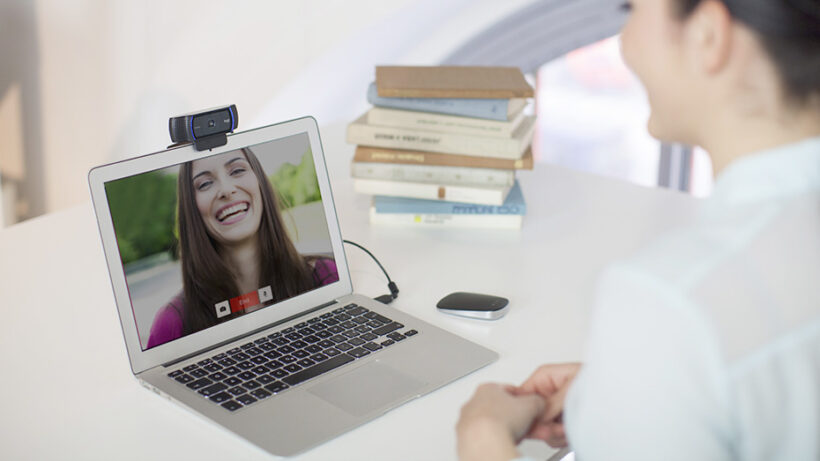
One of the teacher’s successes in teaching online classes is the right lighting. If the teacher can place the camera at the right angle and get the best light, then students can see and hear.

Place the camera at the right angle. So when the teacher teaches, all students can see his face.

What the teacher is talking about can also be heard clearly. You can also buy a new webcam so that the video resolution displayed is much clearer.

So you can teach well and students can learn well.

  1. Looking for a Quiet Room

Teaching certainly requires a quiet room. The goal is that what we are talking about can be heard by students.

Avoid crowded places with noise such as the sound of vehicles, pets, and so on. Find a quiet place to teach.

To improve the quality of teaching, you can also buy a special headset so that the audio can be clearer. You can teach through a microphone so that your voice can be heard more clearly by students.

In addition, by using a headset or headphones, you can also hear students voices more clearly. So that during the lesson all students can receive learning well.

  1. Use Multiple Devices

Teaching online doesn’t just need one device. You can add an iPad or LCD for teaching.

The goal is that students can receive lessons better and you can present the material in various ways so that students understand it better.

  1. Use Visual Notes Technology

This technology is usually in the online form. You can ask students to download a visual notes app.

So that when the lesson is over, they can record what you talked about during the lesson. So that students can understand all the subject matter.

  1. Use Wireless Technology

Wireless technology is certainly needed because it facilitates mobility. Examples are wireless microphone and wireless headsets.

The number of cables that exist will interfere with your effectiveness in teaching because you can be distracted and cannot move freely. Especially if you need a whiteboard, then you need wireless technology to make mobility easier.

4 Tips To Improve The Background of Your Video Calls

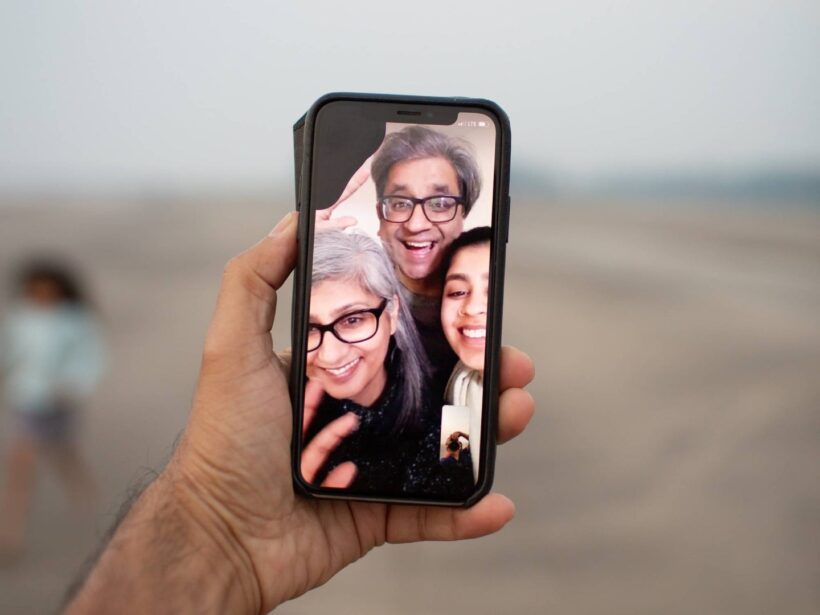
The pandemic situation forces us to do everything online. Starting from online schools, online lectures to online meetings.

Almost everything we do use online video and uses applications like Zoom and Google Meeting. Without us knowing it, we have spent more than 1-year doing online activities.

Improve Video Call Background

In some activities such as school or formal meetings, of course, we have to pay attention to the background of our video calls.

Because the video call background can add to your professional value. Besides that, a good background also makes other video call participants interested.

Here are some tips to improve your video call background:

  1. Neat and Clean Background

One way to improve the appearance of the background during a video call is to find the right and clean background.

The video call background will look so big on the computer screen, so you need to look for a clean and fast background.

For example, you can put a background such as a bookshelf, painting, or cupboard that contains your plaque or collection. For school children, usually use a bookshelf background or sticky notes on the wall.

Also, make sure you neatly arrange the background that you want to use for the video call background. Make sure there are not many personal items that can interfere with the aesthetic value of your video call background.

Clean the background and clean it. Arrange your bookshelf or collection neatly. So that your appearance on video calls is getting better.

  1. Added Multiple Colors and Items

If you think the walls of your room are too plain, you can add some items such as frames or paintings. Also add some flashy colors, because otherwise white walls won’t look attractive on video calls.

Add items such as curtains or bookshelves so the background doesn’t look plain. Also, add some of your homemade decorations that can make your appearance more cheerful.

Keep in mind, video call backgrounds also don’t need to be too crowded and have lots of ornaments. You can add just a few ornaments so that the background doesn’t look boring.

  1. Don’t Get too Close to the Camera

It’s important to remember if we’re having a video conference call you don’t need to keep the camera on too close.

This will make your face appear bigger. But you also don’t need to put the camera far from your face because it will make the background look big.

Simply place the camera by adjusting your height. so that your face can be seen clearly and the background is also clearly visible.

Pay attention to the placement of the camera so you can have better video call quality.

  1. Choose the Best WebCam

Laptop cameras sometimes don’t have a good resolution. So you need to buy a new webcam that has a better resolution.

With a good quality webcam, you can get clearer video call quality. You can buy it at a computer store.

The better the quality of the webcam, the clearer your appearance on video calls will be.

Digital Way of Sending Appreciation Gifts to Our Teachers

A teacher is someone we need to appreciate. Especially in this pandemic era, all school activities are done online.

Of course, our teachers must have experienced difficulties that we never knew about. Therefore, as students, we must give appreciation to our teachers for trying hard all this time.

Give appreciation to our teachers. Especially during a pandemic like this, of course, our teachers experience many difficulties when teaching online classes.

Send Awards To Teachers With Punchbowl

Punchbowl is a digital card platform that can be sent quickly to teachers or loved ones. You can show them a little appreciation with this digital greeting card.

Sending a digital card is a safe way, especially now that we are advised not to meet many people and leave the house.

Here’s how to send a small appreciation to your teacher via a digital thank you card. Pay attention to the steps:

  1. Open the Punchbowl platform and select the “teacher award card” gallery
  2. You can choose a variety of thank you card designs for free
  3. Choose the design that you like the most, you can adjust the color and writing.
  4. After choosing the design you like, then you can fill in the message on the card. Messages can be in the form of text and videos of 2 minutes duration.
  5. Write down what you want to say to your teacher. In addition, you can include a video of your thanks with friends in a duration of 2 minutes.
  6. After you have written a thank you note and included a video, you can add a gift card.
  7. Gift cards are vouchers that you can choose from international online stores such as Sephora, Amazon, Peet’s Cofee, and others.
  8. You can send any gift card and it can be redeemed at any time without any expiration date.
  9. After selecting all, you can customize the design of the envelope starting from choosing stamps, stamps, and so on.
  10. After all, you can add your email address and teacher’s name.
  11. Then click “send”, then your teacher will receive a greeting card via email.

The Importance Of Giving Respect To Our Teachers

As a teacher, of course, I am very happy when given an award from her students. Because they feel meaningful and important to their students.

So as students who have to respect teachers, we should be able to give them a little appreciation. Awards in the form of digital greeting cards alone have made them happy.

Coordinate with classmates to make a thank you video. Because in difficult times like this, our teachers need our support.

When you make a thank you video with a classmate, he will feel appreciated and you can receive his services.

Even though you can’t buy shopping vouchers, just saying thank you makes him happy. So from now on try to appreciate all the efforts of the teachers because they have tried very hard to teach online classes. So reward them by sending a digital greeting card.